Please note that you will need to edit both Header and Footer.
Add theme header
- Go to Layout – Add New
- Insert title and click Edit with Elementor
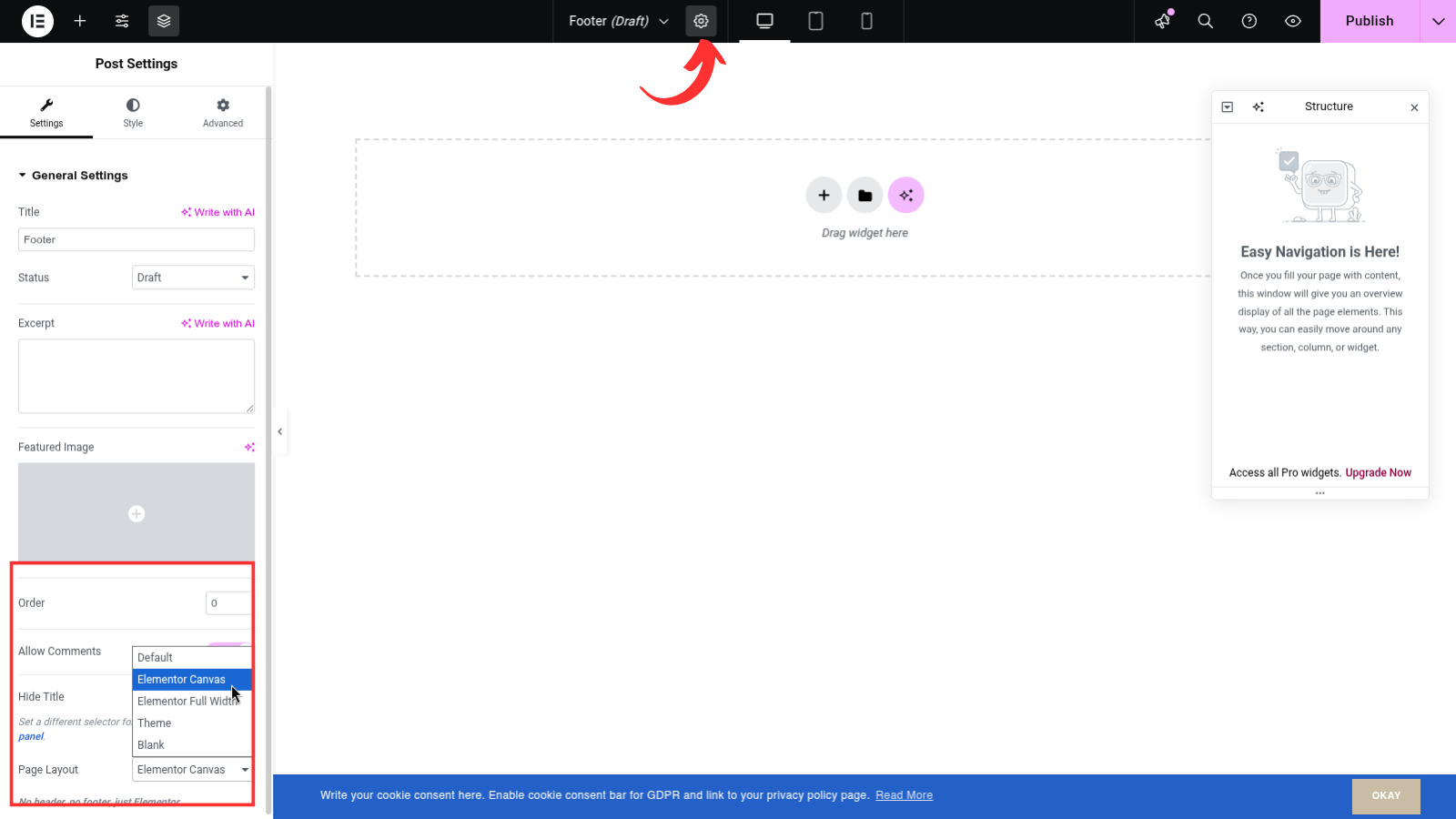
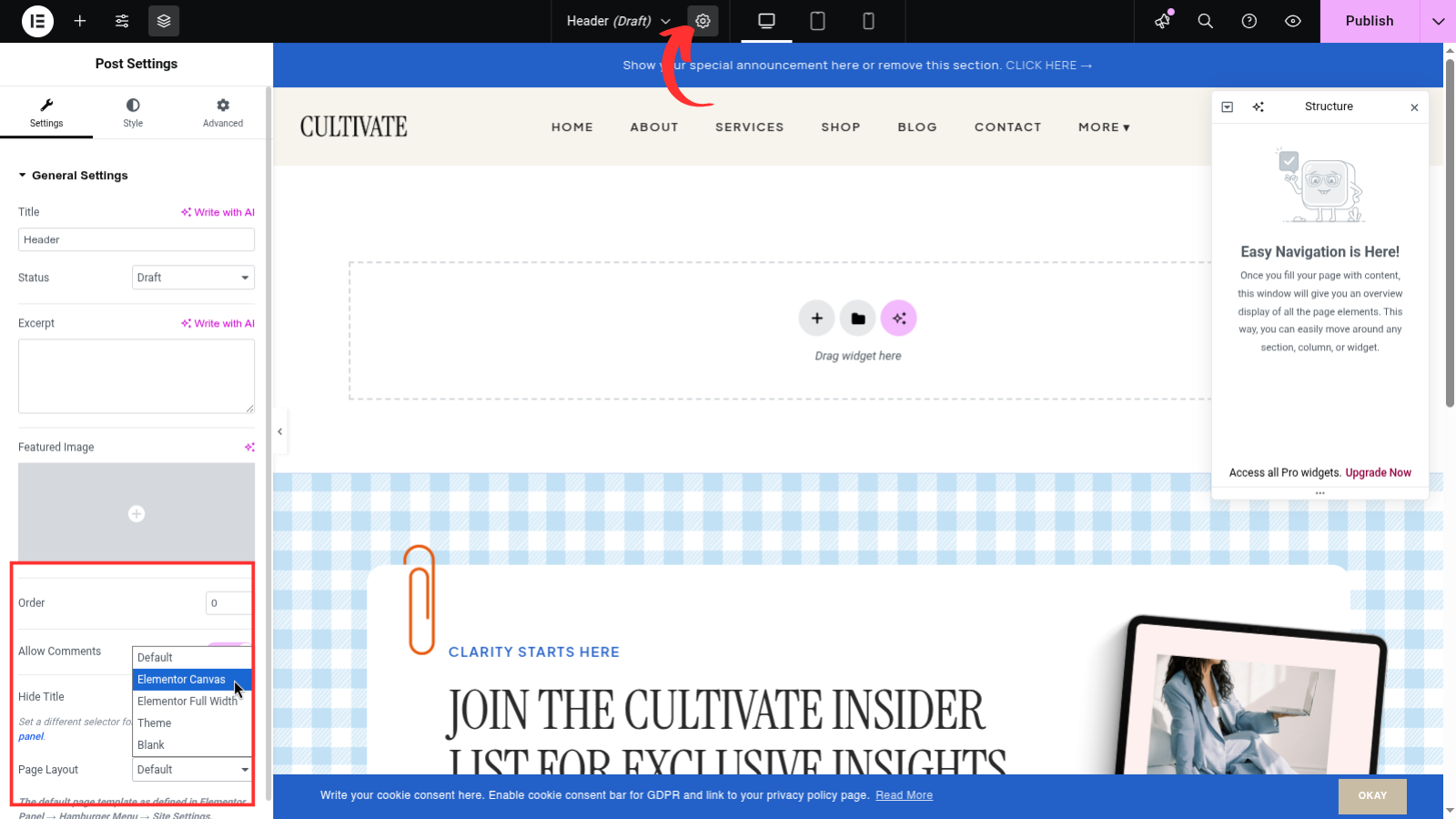
- Select the gear icon on bottom left
- On Page Layout select Elementor Canvas
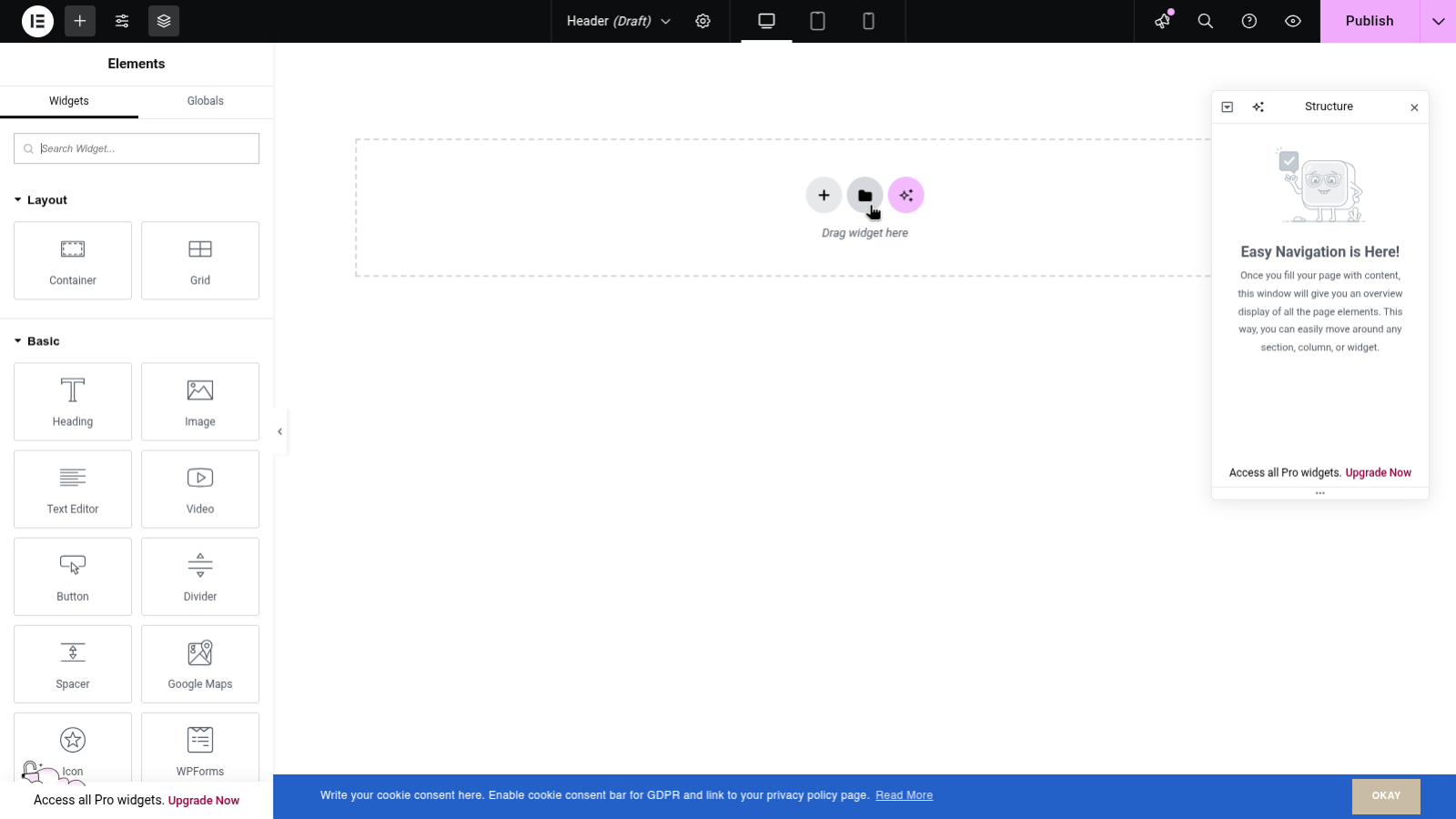
- Once page is updated click the folder icon
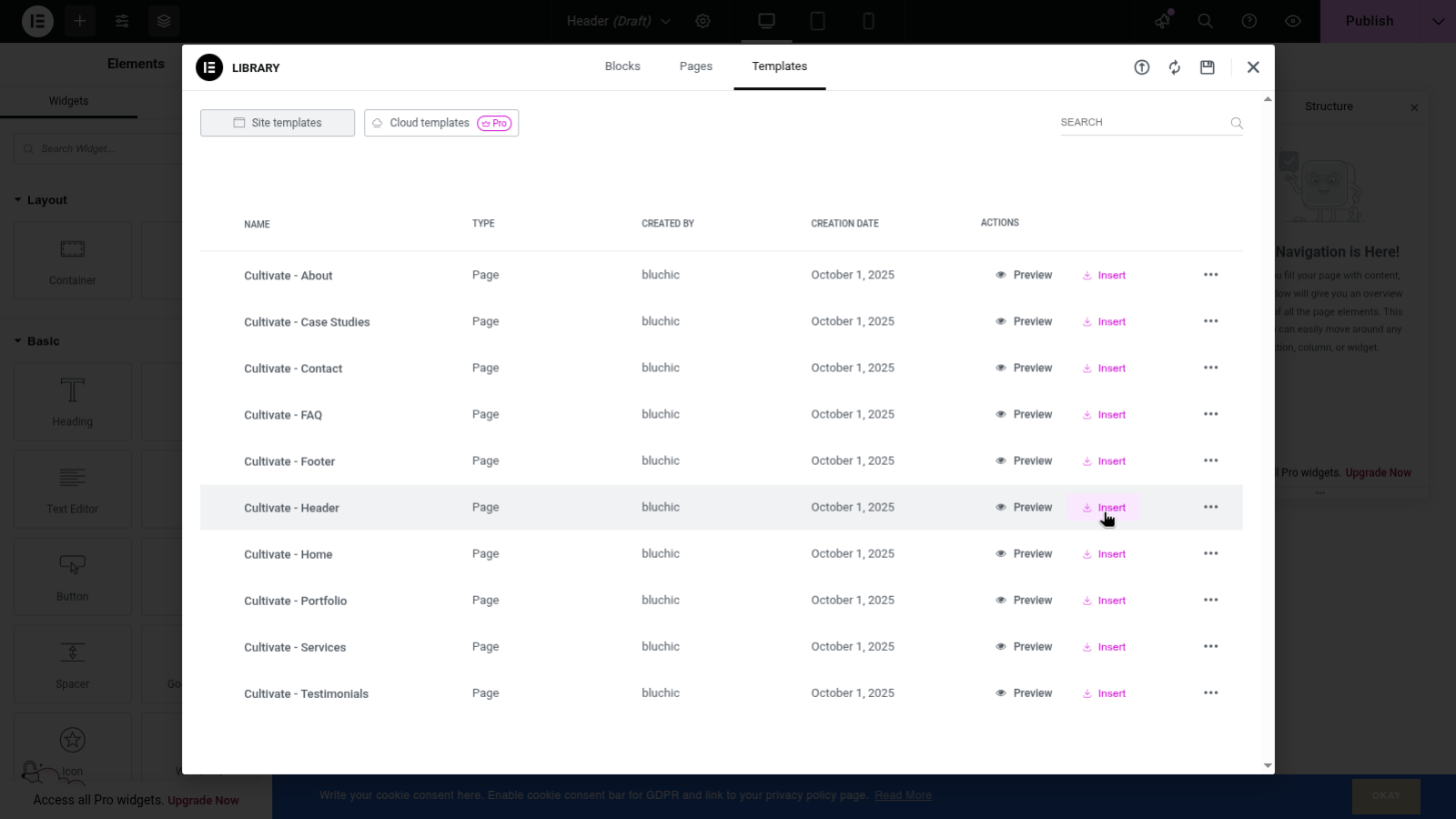
- On pop-up windows select My Templates
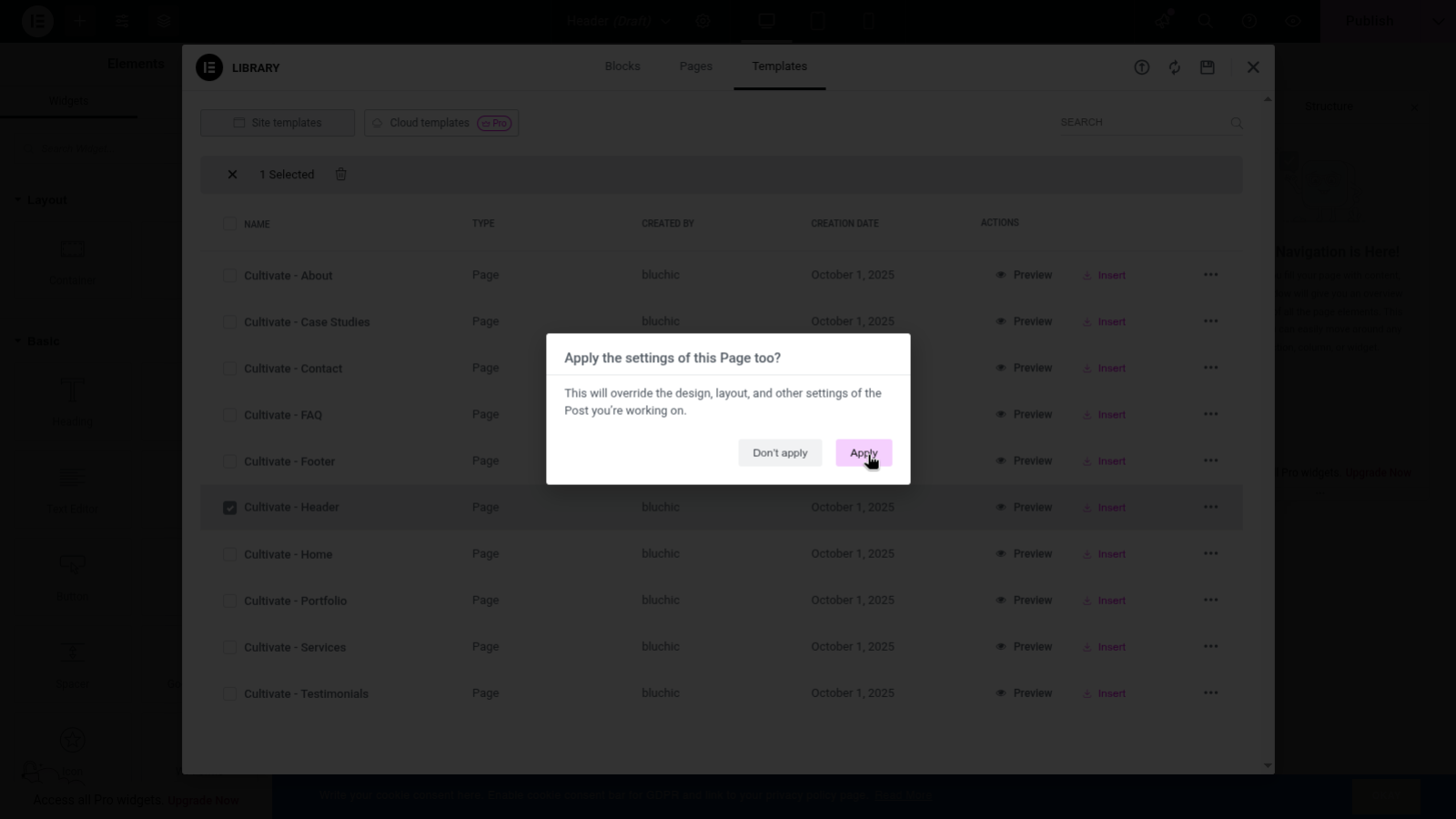
- Find Cultivate-Header and click Insert
- Edit anything necessary and update the layout.
Add theme footer
- Go to Layout – Add New
- Insert title and click Edit with Elementor
- Select the gear icon on bottom left
- On Page Layout select Elementor Canvas
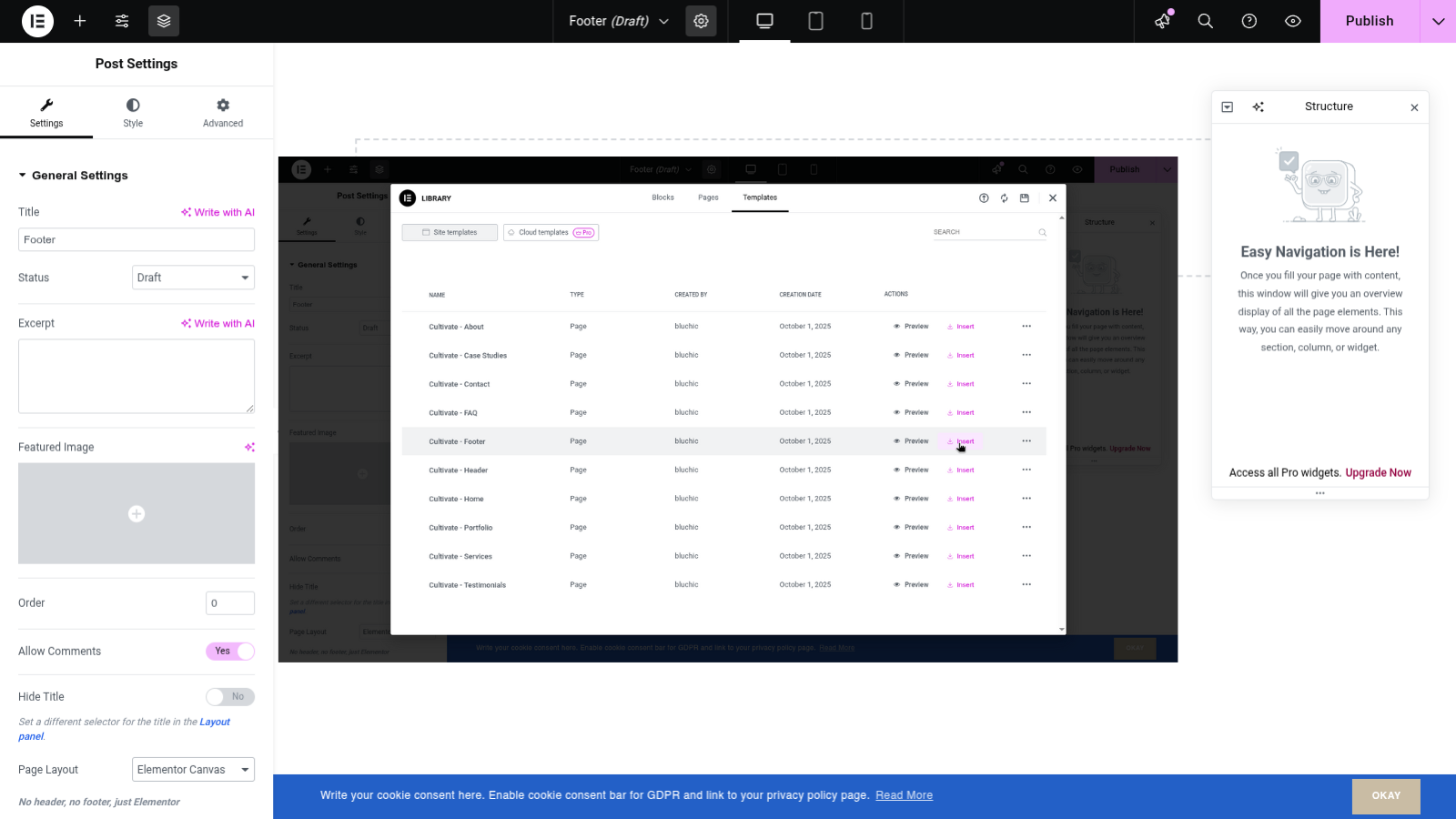
- Once page is updated click the folder icon
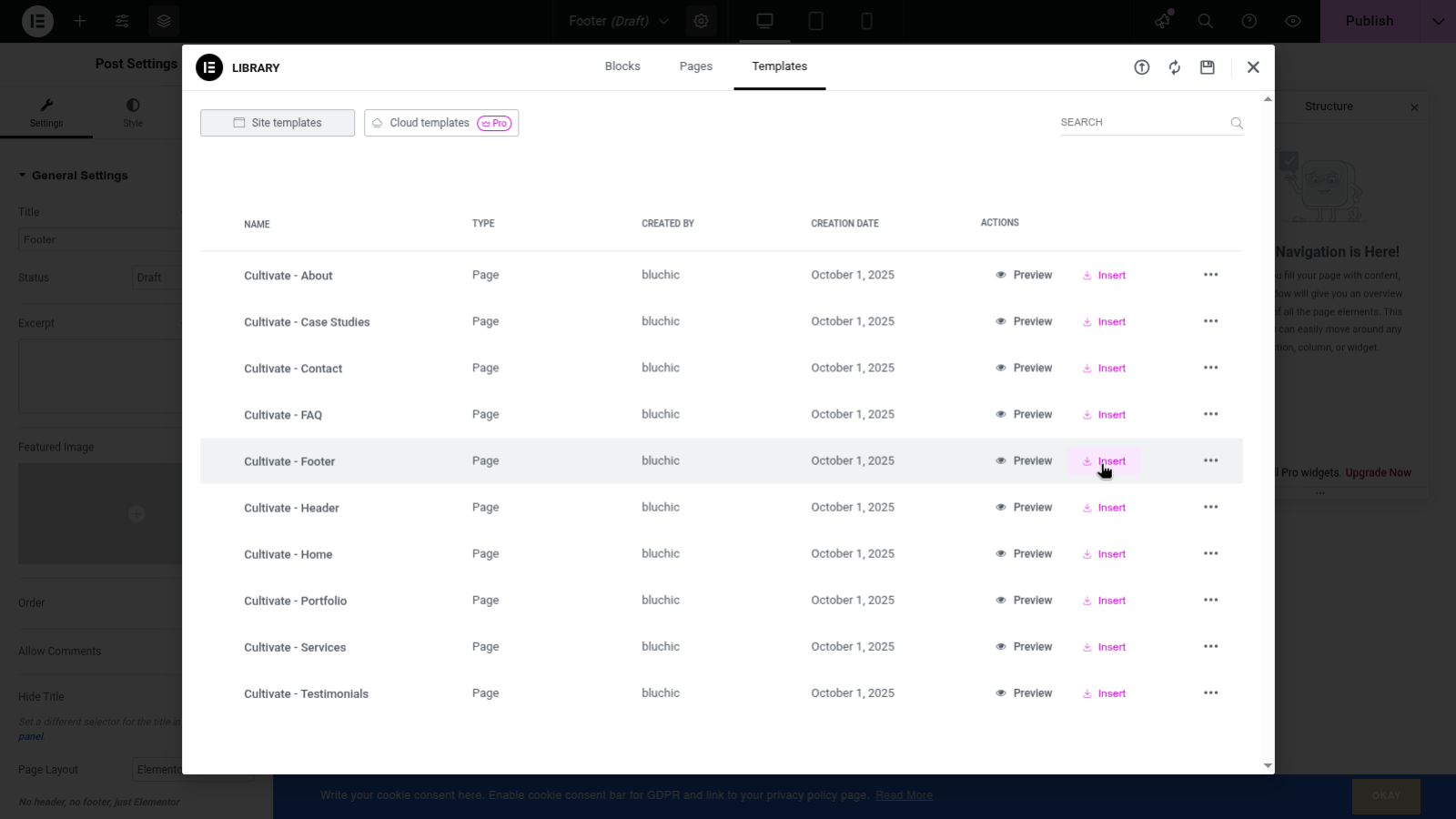
- On pop-up windows select My Templates
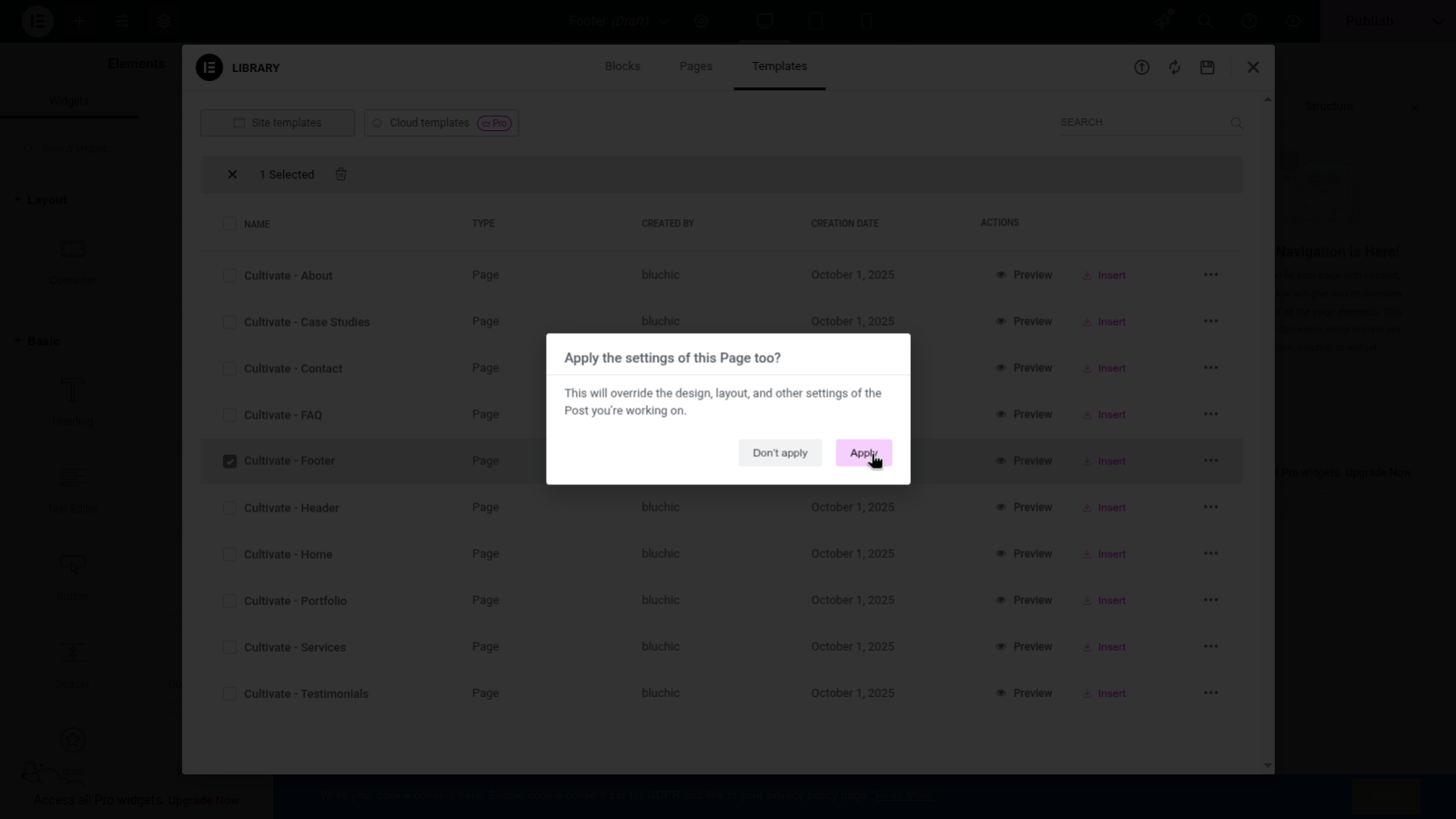
- Find Cultivate-Footer and click Insert
- Edit anything necessary and update the layout.