
When creating a new menu for your own or editing an existing header’s menu, you’ll need to add a CSS class for the menu to work like a normal site menu, or it will only show list of menu links.
NOTE: If you have Elementor Pro version installed, kindly use Elementor Pro Nav Menu Widget instead. The theme is build for free version of Elementor plugin.
Setup menu in Elementor
- Create a Section
- Find and drag Navigation Menu to the section
- Skip the title and select a menu
- Go to Advanced tab
- On CSS Classes insert nav as the CSS
- Click Publish to update the menu
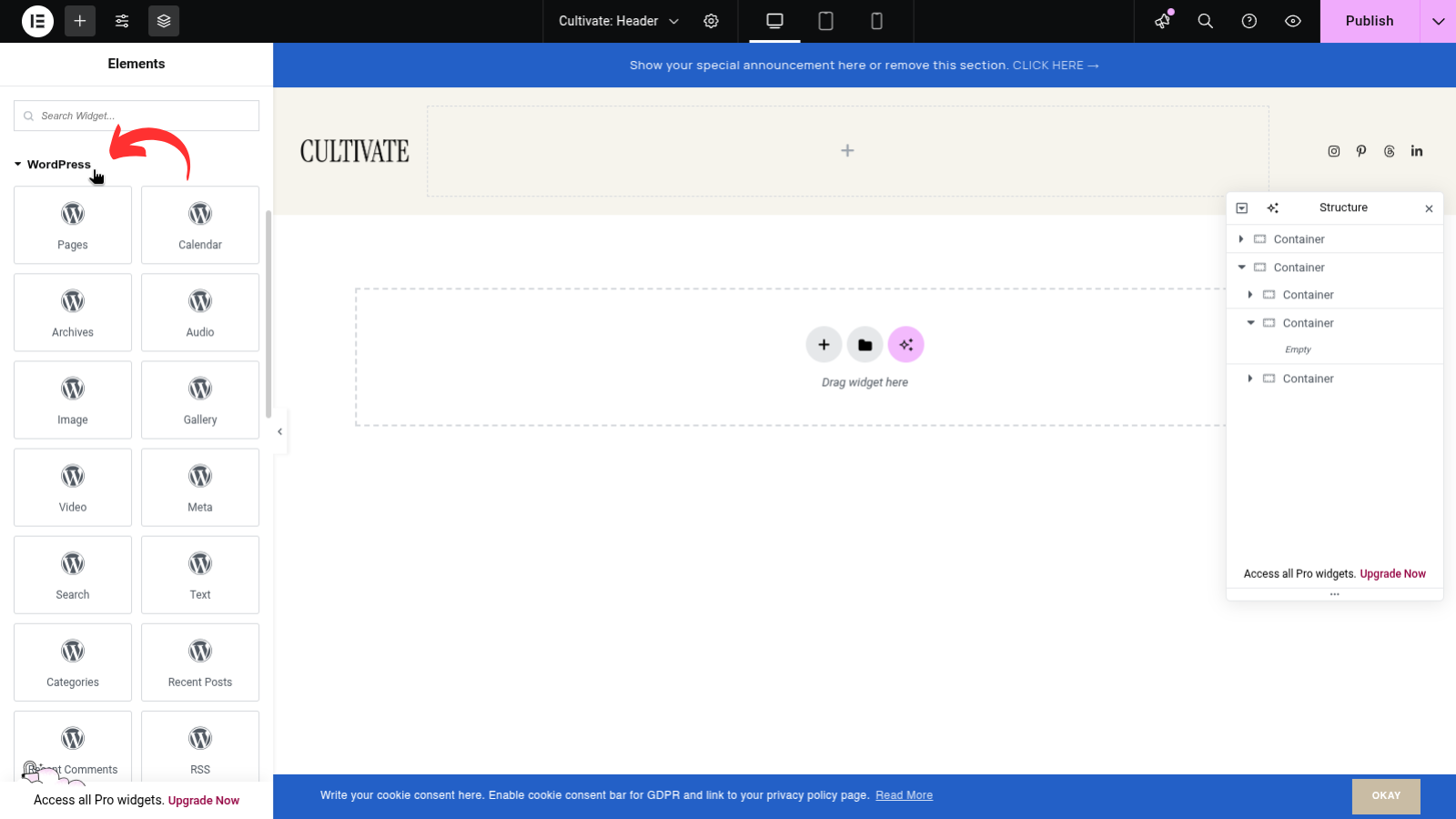
Find and expand WordPress widgets section
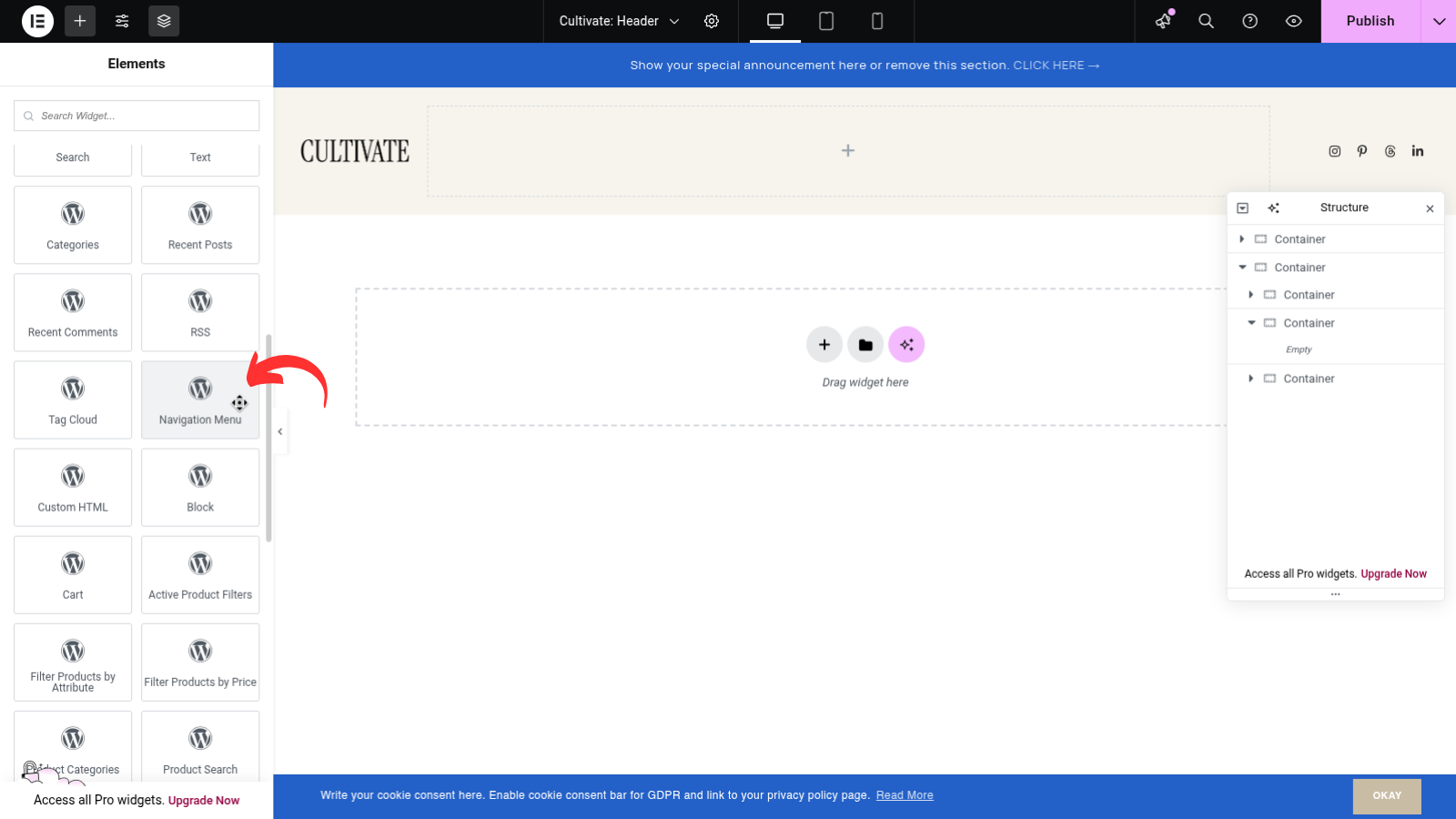
Scroll and find WordPress Navigation Menu
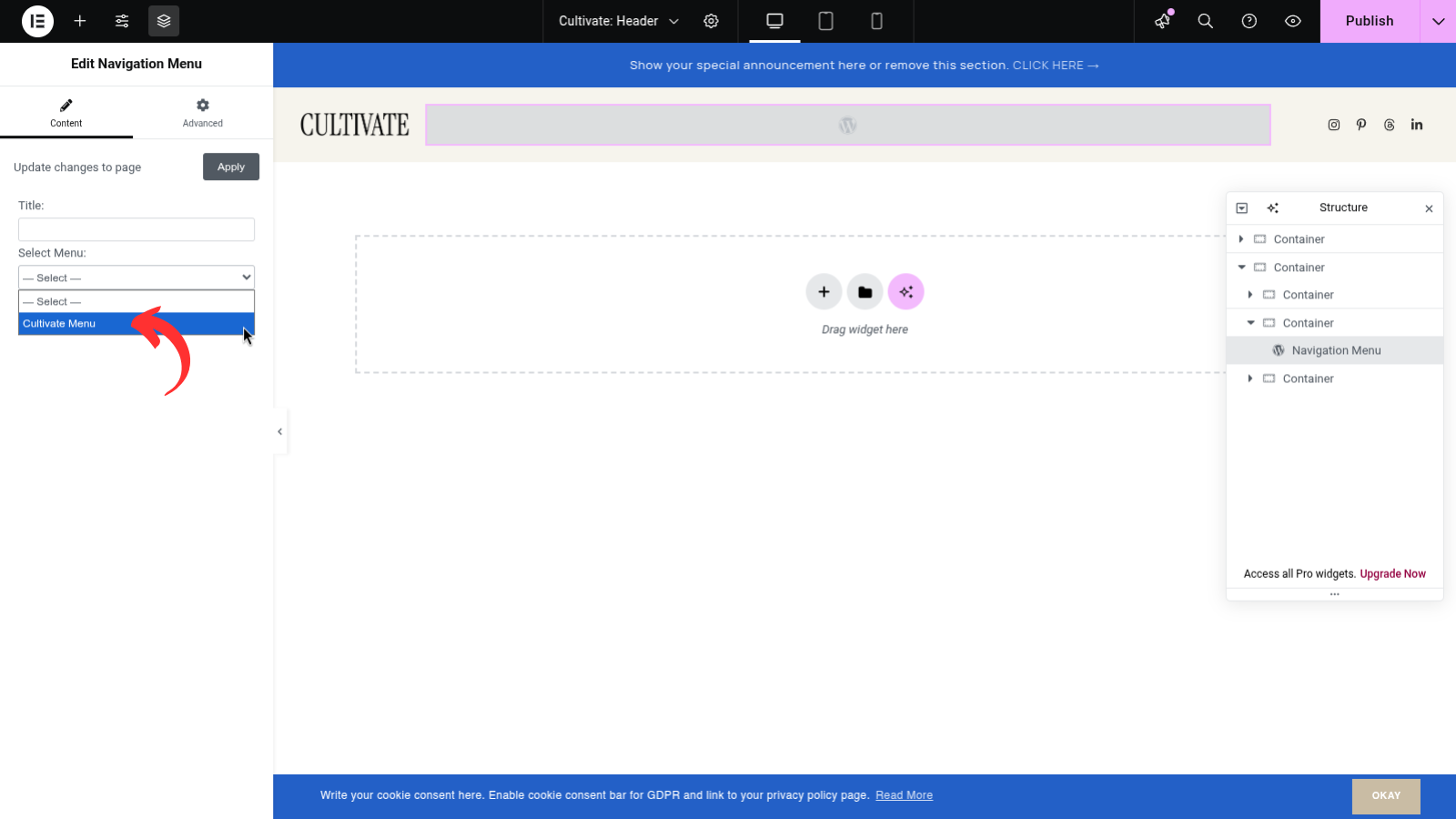
Drag on the section and select your existing menu (must be already created in Appearance > Menus)
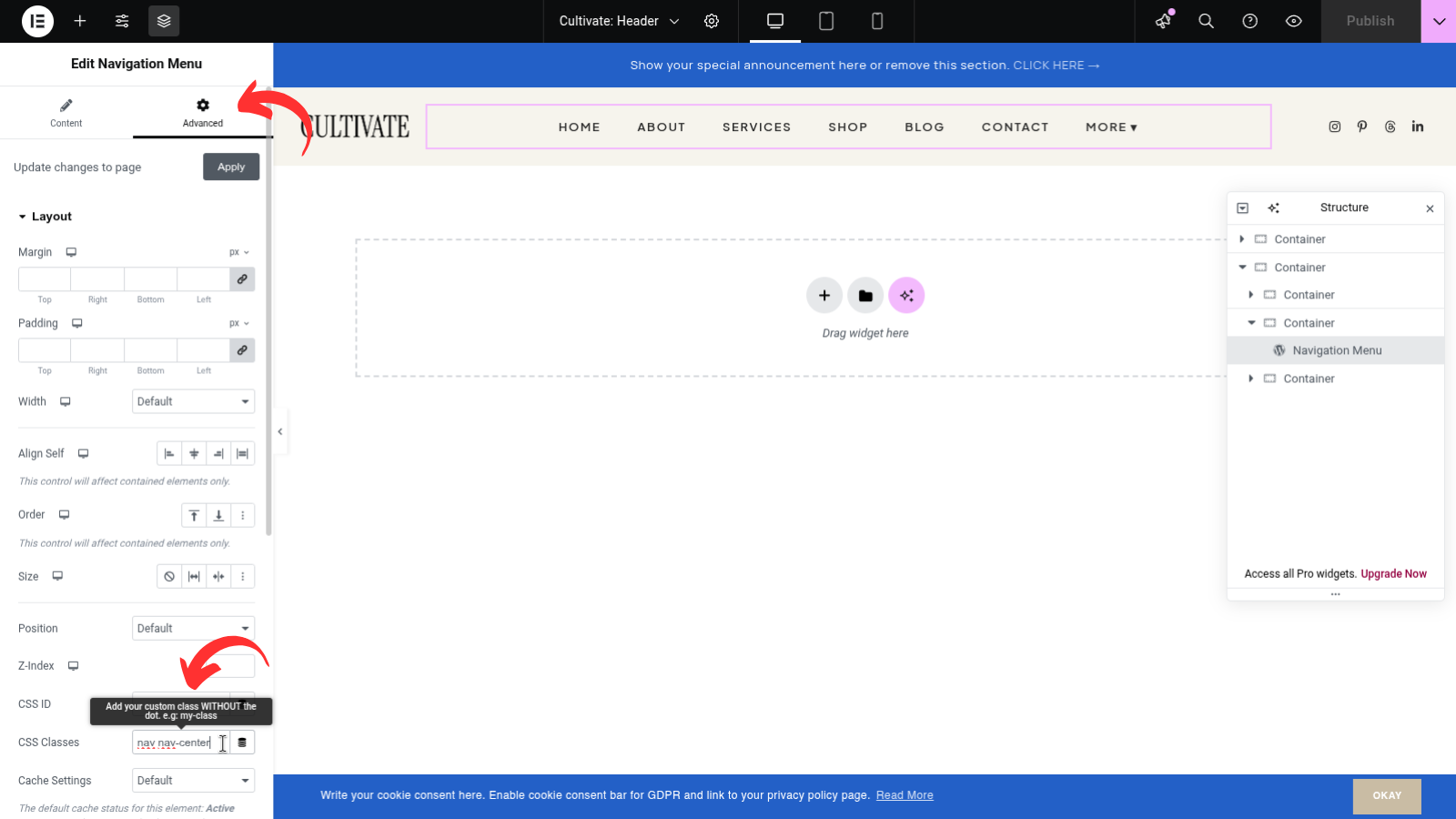
Go to Advanced tab and insert additional CSS for alignment
Note: For menu to align add additional CSS:
nav
nav-left
nav-center
nav-right