
IMPORTANT NOTE:
You must have an active Elementor Pro license.
When encountering the container overlapping with your existing/next container, you can update the container z-index.
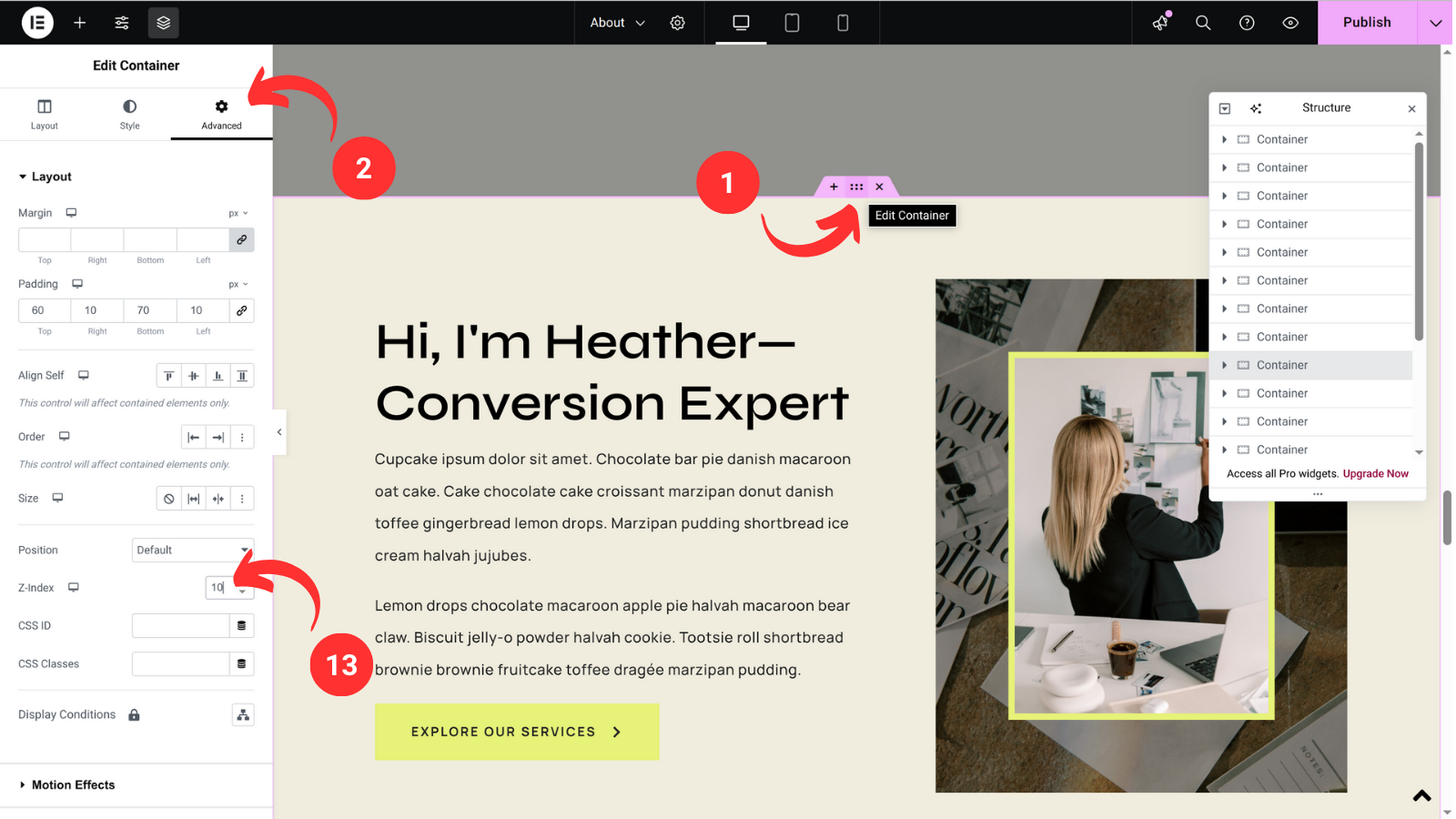
- Edit your container by selecting the blocks (edit container) icon
- On the sidebar select Advanced tab
- Find Z-index and insert a number, 10 should be suffice