
IMPORTANT NOTE:
You must have an active Elementor Pro license.
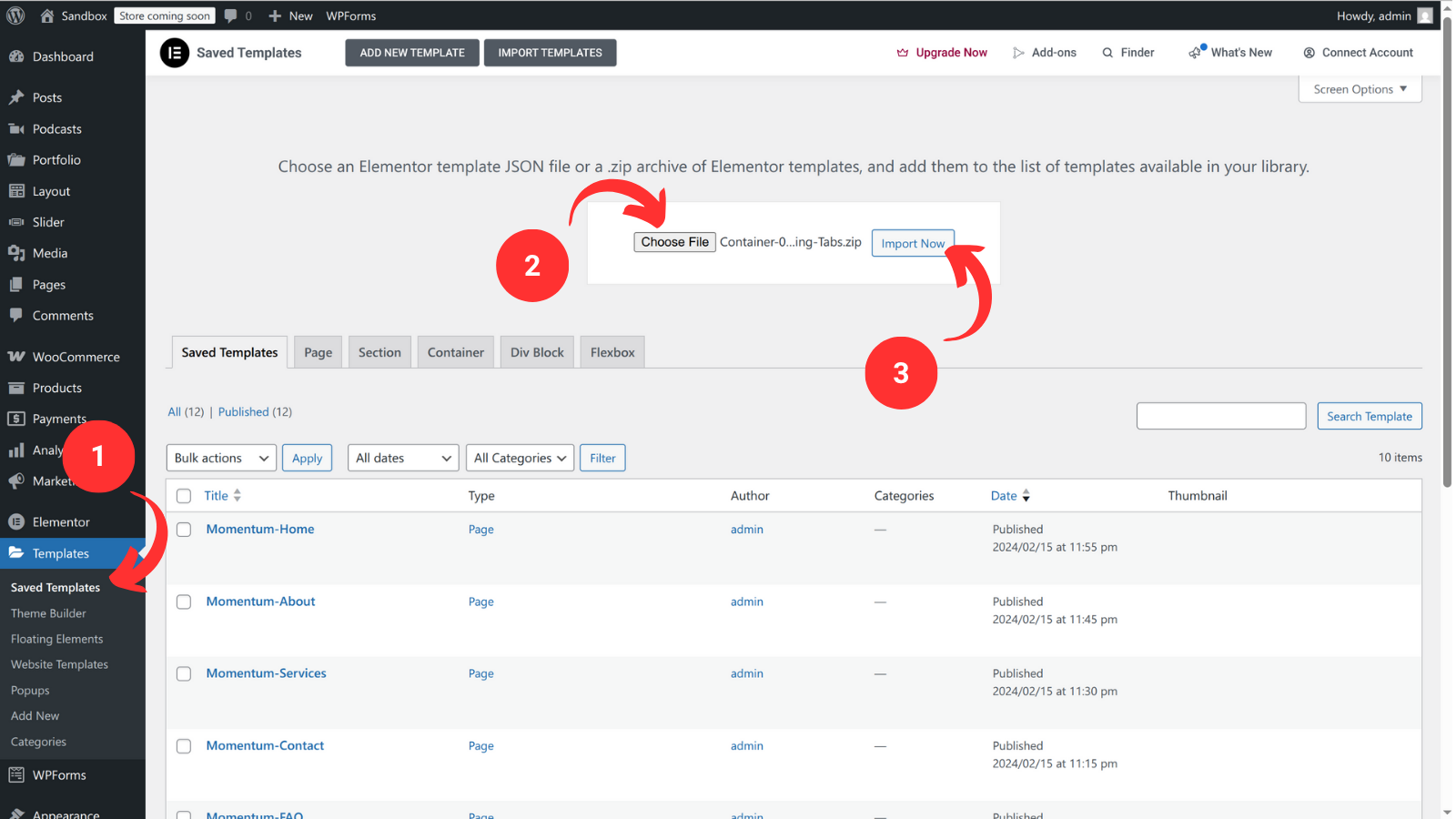
- Navigate to Templates > Saved Templates
- Select Choose File and find the zip file you downloaded
- Click Import Now to import the container
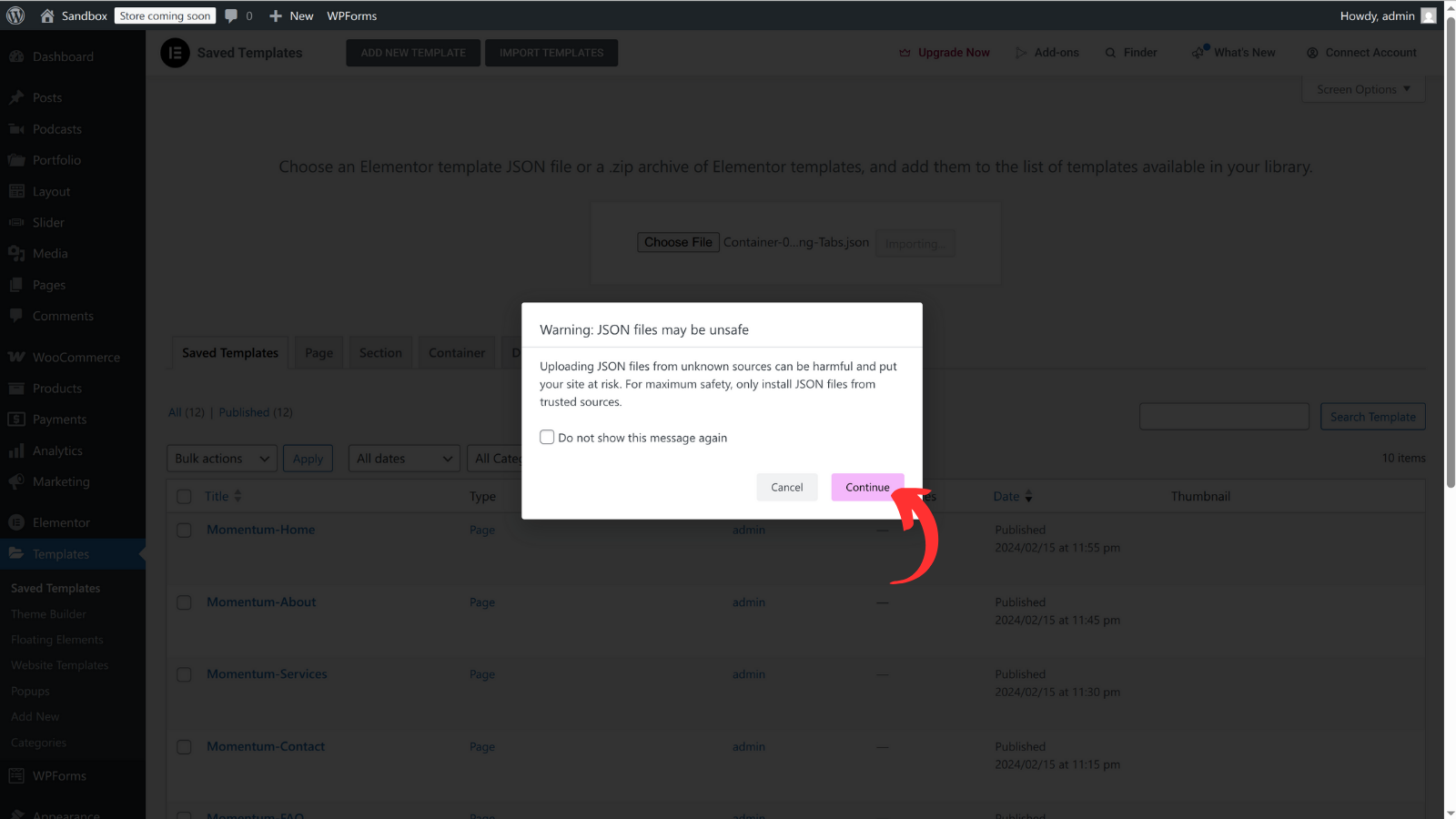
If any message appear, select Continue to continue the import
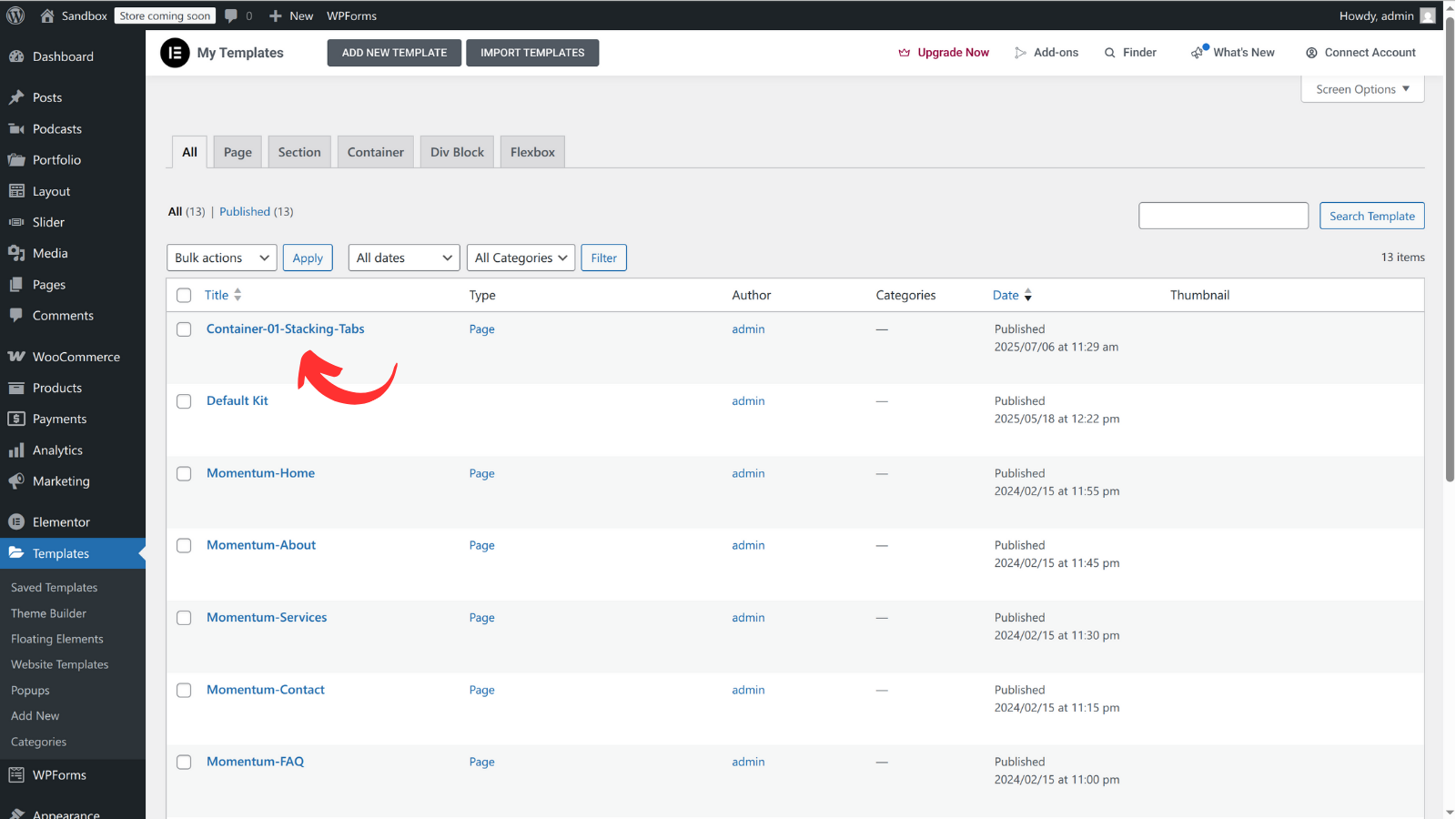
Your container will appear on the list.